
Pay by card. It’s already written down. iOS 27 · Beta
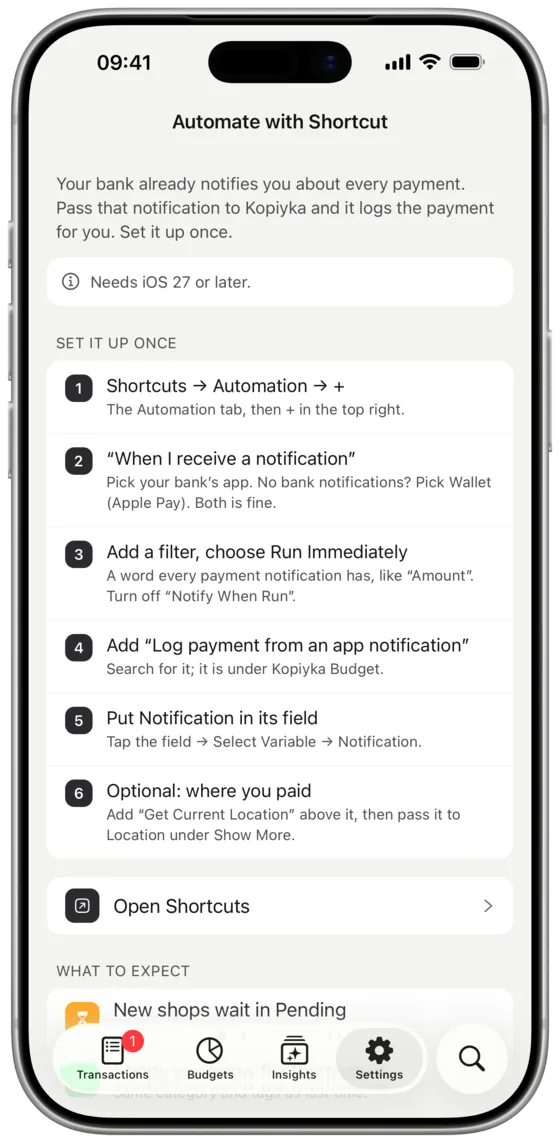
Pay by card and a Shortcuts automation reads the amount and the shop from your bank's notification, right on the phone. A shop you've filed before files itself; a new one waits for a quick look.
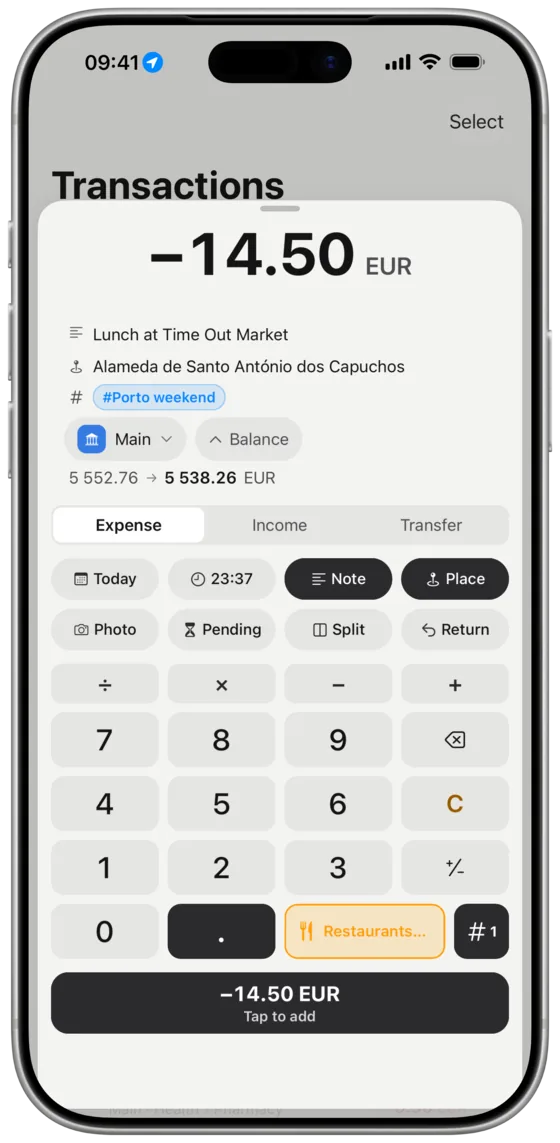
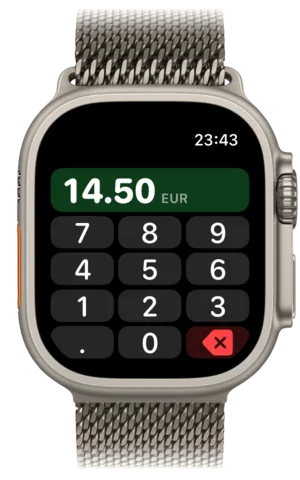
The keypad opens first, so the coffee is logged before you leave the counter. On iPhone, iPad and Apple Watch.
Free and open source. No account. Nothing tracked.
Pay by card and a Shortcuts automation reads the amount and the shop from your bank's notification, right on the phone. A shop you've filed before files itself; a new one waits for a quick look.
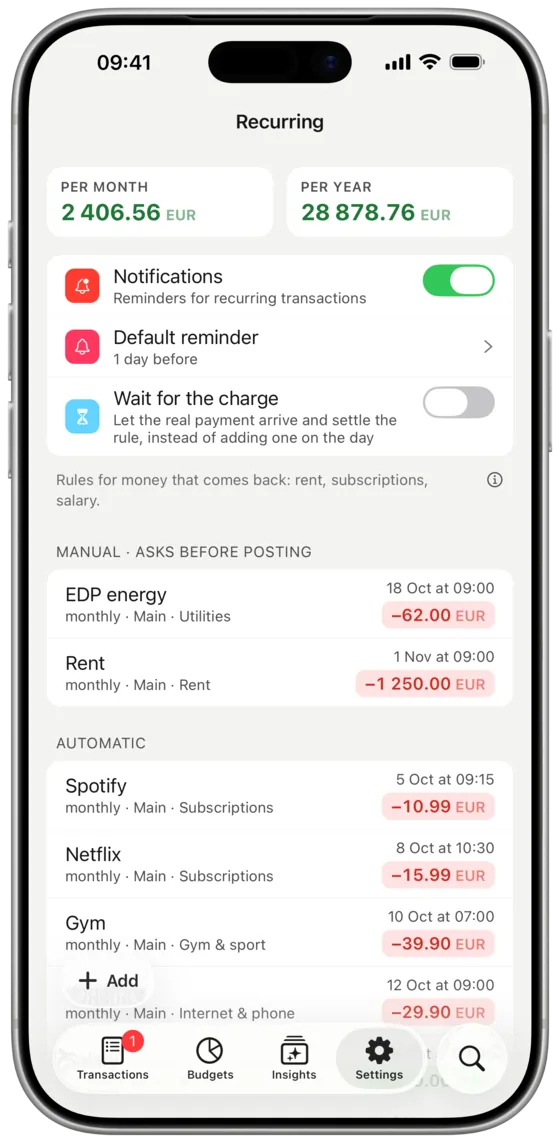
Tell it about Netflix once and it posts itself every month. Rent, which changes, asks first. A rule can also wait for the bank's real charge, so a price rise is caught rather than guessed.
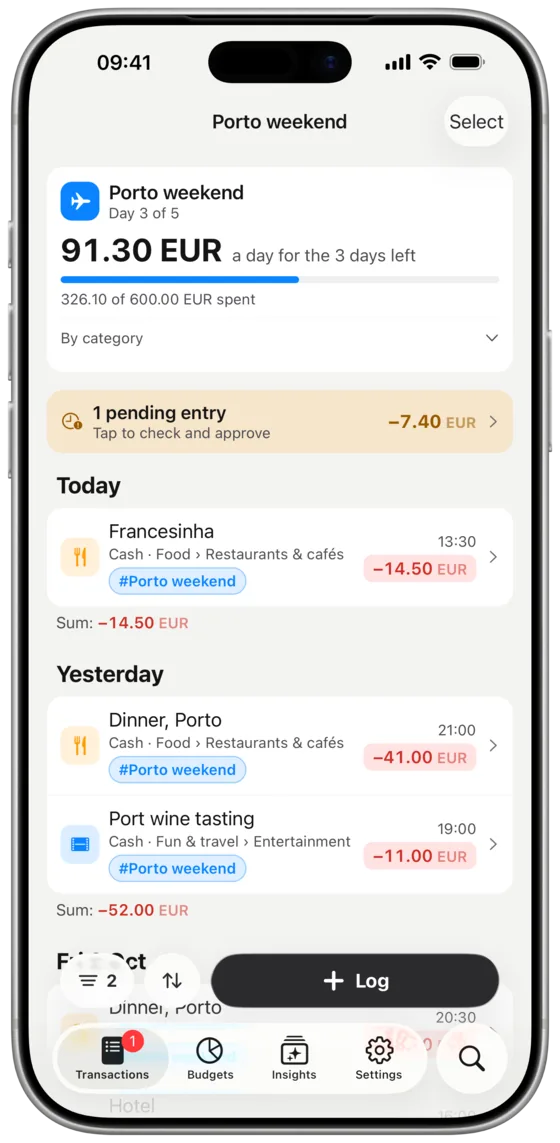
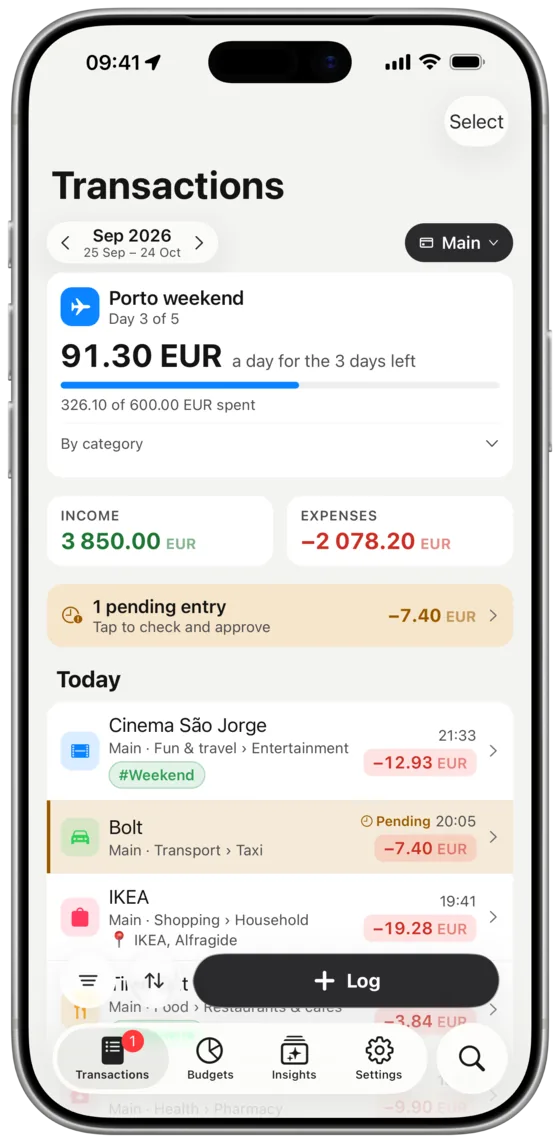
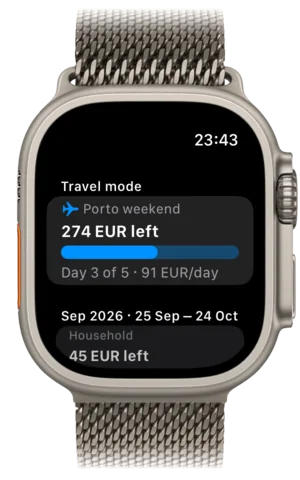
Start a trip, give it a budget and a last day. Everything you buy is tagged and counted against it, in any currency, and your monthly budgets stay as they were.
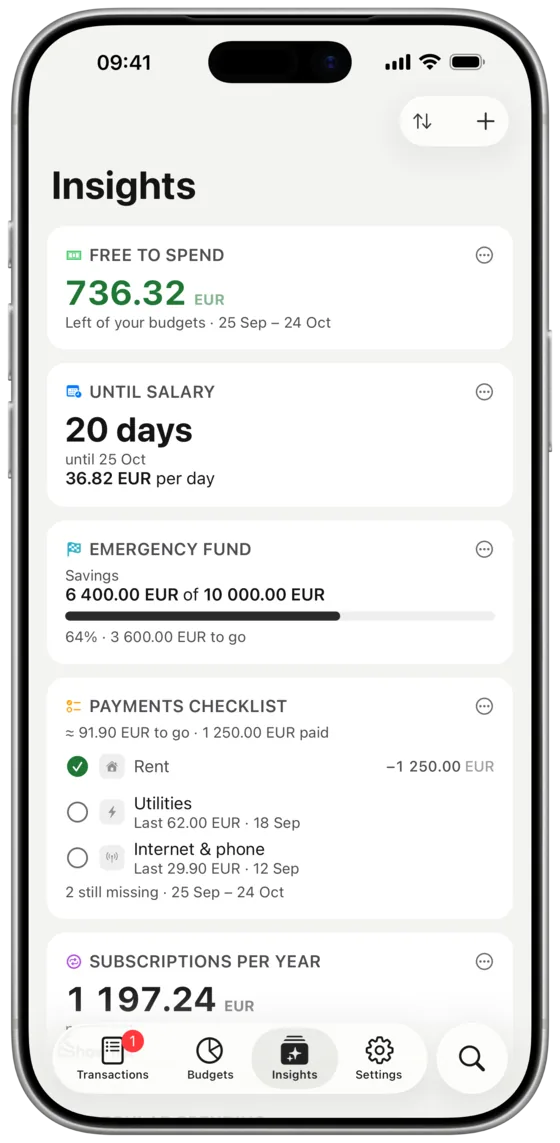
What's free to spend until payday, what's still unpaid this month, what your subscriptions cost a year, how much goes on essentials. Add the cards you care about and skip the rest.
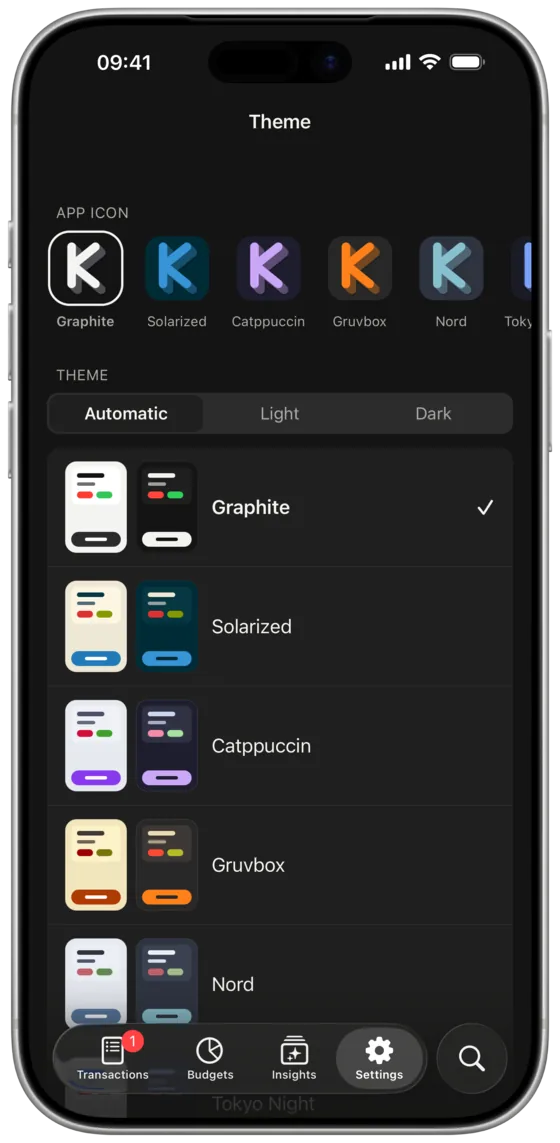
Big numbers, few buttons, no ads, nothing to unlock. Eight colour themes if you want a change, each with a light and a dark side.
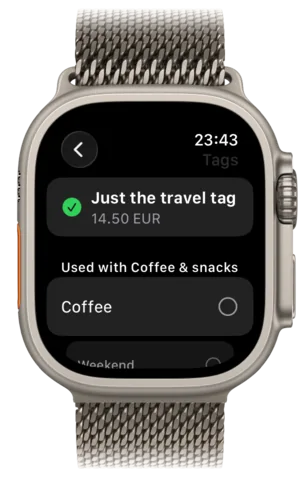
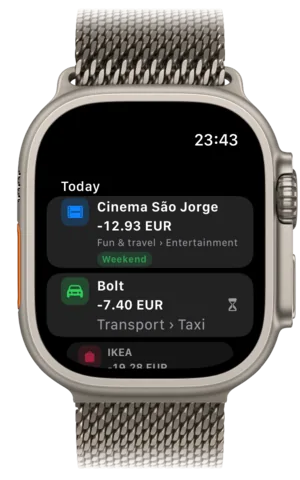
The same keypad on Apple Watch, phone still in your pocket.
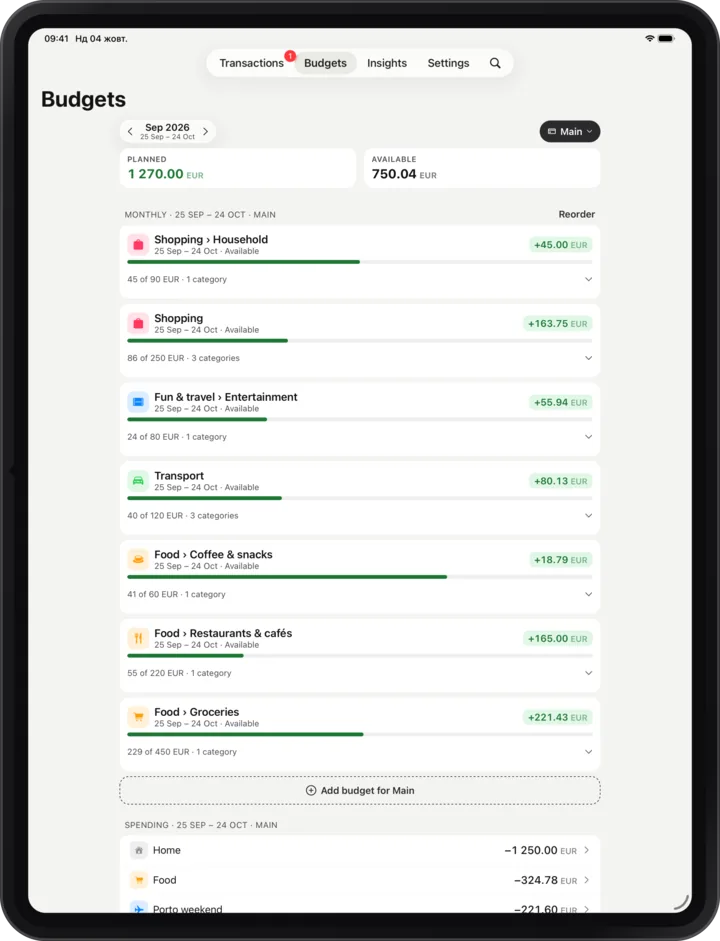
Same app, bigger screen, kept in step through your iCloud.
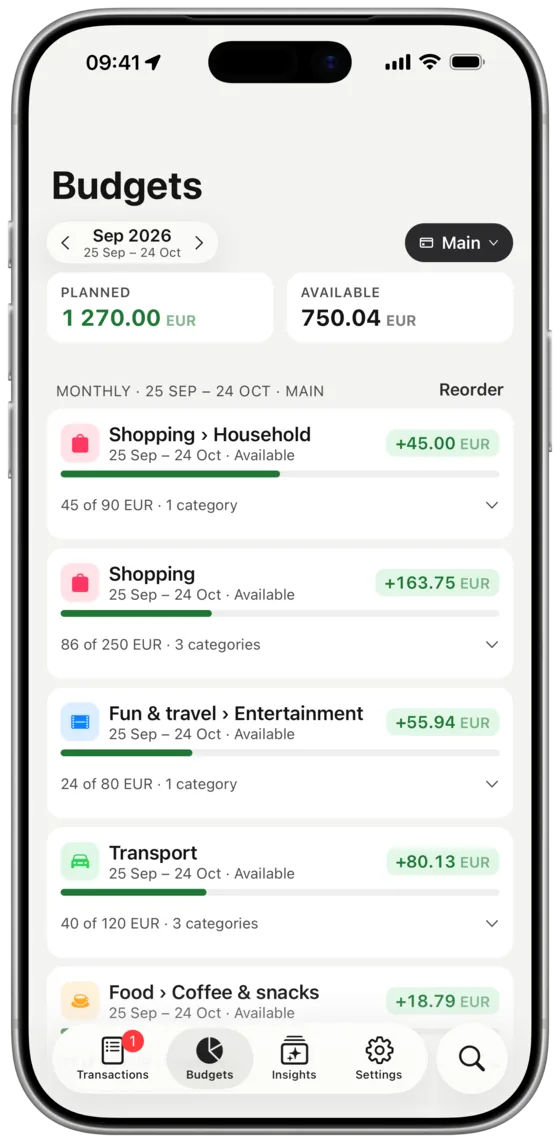
Paid on the 25th? So is your budget.
Same place twice, and the third time the category fills itself in.
Dinner and a lamp from one shop, each in its own category.
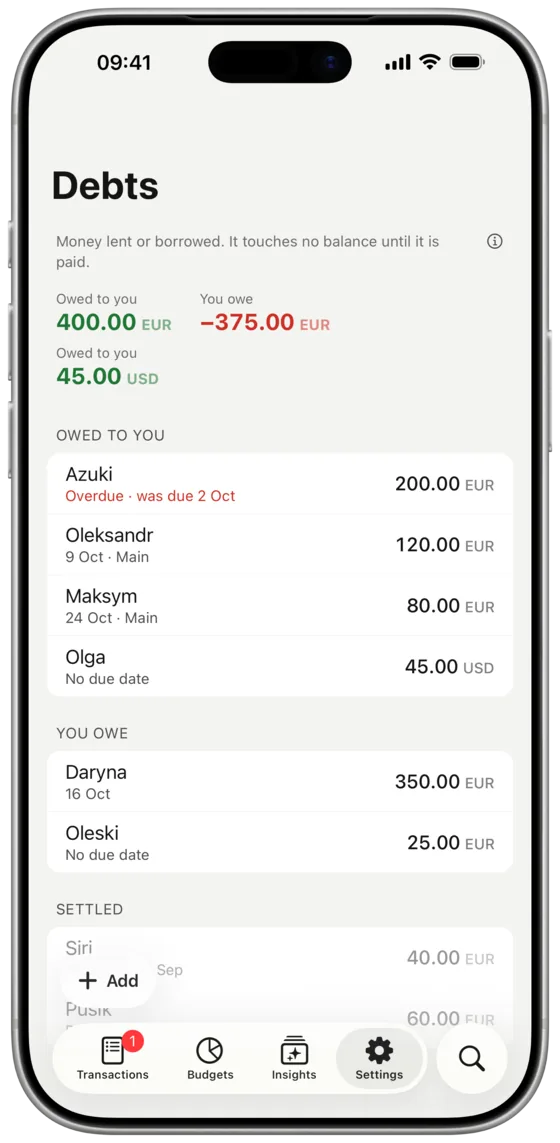
Lent 20 for lunch? It’s written down — with a nudge on the due date.
Mark what you can't live without and what you could drop tomorrow.
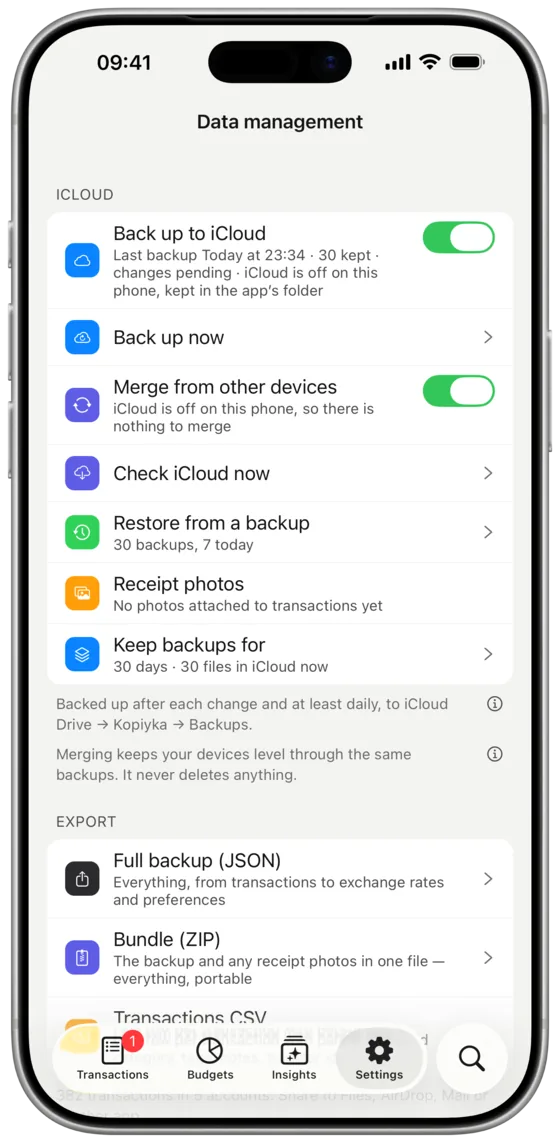
On your phone, copied to your iCloud, exportable any time.
Not knowing where I stood with money used to drive me mad, so more than ten years ago I started logging every expense. The first app I used was free when I began and later became a one-time purchase, which was fair enough. The habit stuck, but the app never gave me any real insight into where my money was actually going.
For the last two years I used a budgeting app that cost quite a lot as a one-time purchase. The developer had gone quiet on known bugs, and the “native” iOS app had become painfully slow: I would wait a couple of seconds before I could type a single digit. The last straw was the Apple Watch app, which simply stopped working. The explanation was “Apple”, while everything else on the watch worked fine. It was not Apple.
I have worked as a React Native developer for many years, shipping apps that real people use every day, and I had wanted for a long time to give something back to open source and fix this one problem: a free, local app for tracking money that is actually good and pleasant to use. I finally had the reason.
I am happy with how it turned out. The Shortcuts automation alone removes almost all of the friction I used to have, and tags paired with categories feel so obvious that I still wonder why nobody did it. I built this with care and I intend to keep looking after it.
Your data is yours, so if I ever get hit by a bus you can take it anywhere in a minute. I am not planning on that: I have a daughter, Olivia, on the way, and a lot to live for.
Thank you for trying Kopiyka.
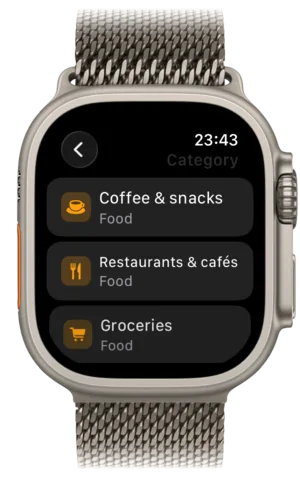
The keypad, your categories and tags, today's entries and what's left in each budget. Put it on the watch face, or on the Action button of an Ultra.
The same app on a bigger screen, and happy in Split View. Turn on merging and your iPhone and iPad catch up with each other through your own iCloud.
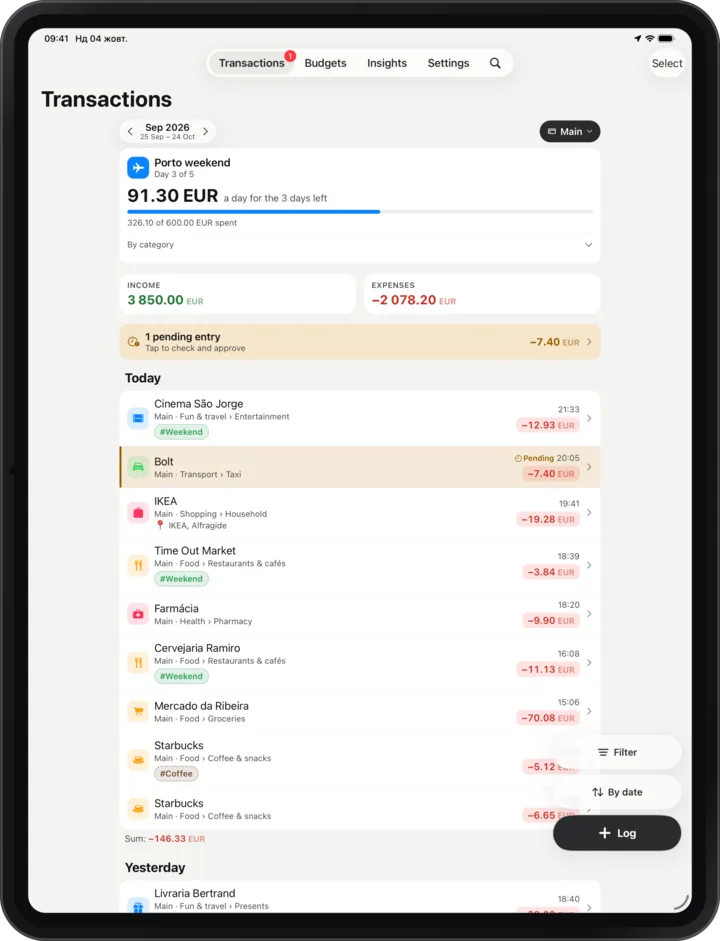
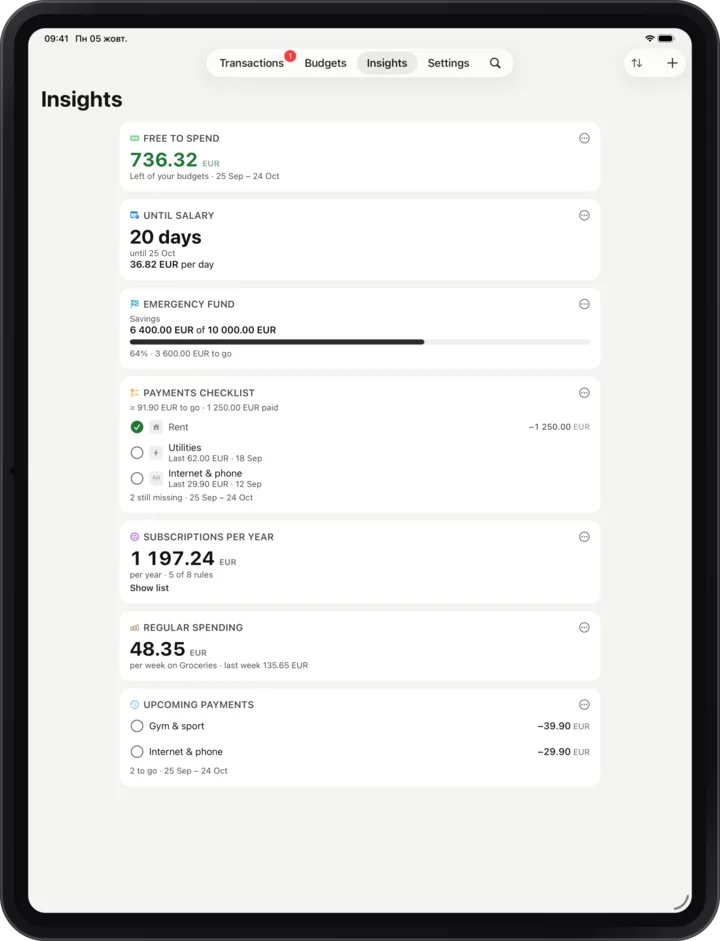
Graphite is the app's own. The other seven come from code editors: Solarized, Catppuccin, Gruvbox, Nord, Tokyo Night, Rosé Pine and GitHub. Each has a light side, a dark side and a matching icon.
Tap one to try it on this page.
Palettes after Solarized, Catppuccin, Gruvbox, Nord, Tokyo Night, Rosé Pine and GitHub Primer, all under the MIT licence. Thanks to their authors.
There's no account and no server, so there's nothing to collect. The app goes online for one thing only: exchange rates from the European Central Bank.
Export from your old app, give the file and a ready-made prompt to an AI assistant, and import what it gives back.
MIT licence, React Native and a little Swift. Pull requests are welcome. No Android for now.
Tell me and I'll fix it. If the app crashed, Settings → Diagnostics has a report worth attaching.